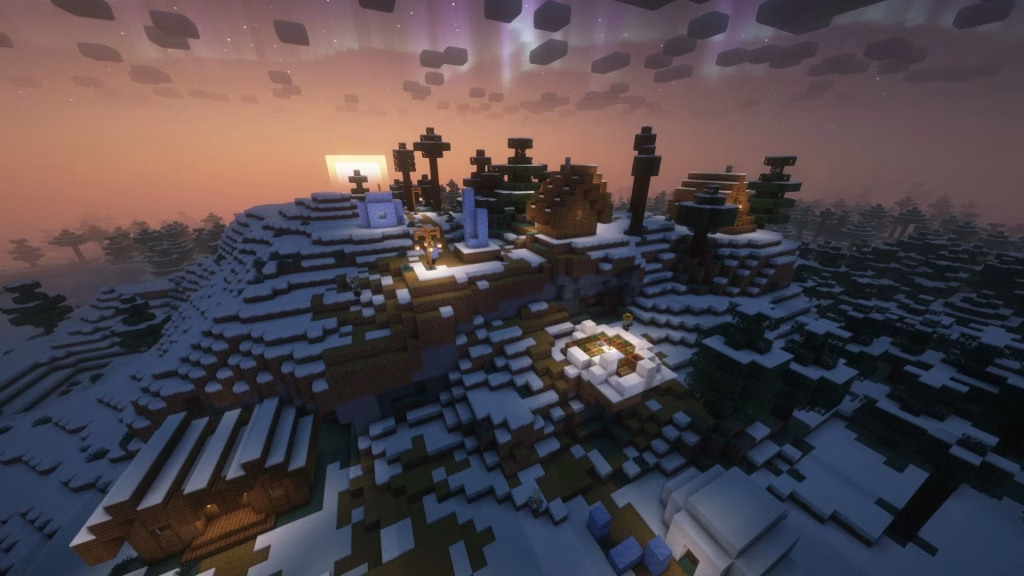
Minecraft 26.3, aka the Wilderness Bound update, is out now — and if you’re itching to see it with cinematic lighting, dynamic shadows, and reflective water, shaders are the way to go. Here’s exactly how to get them running without any headaches.
Table of Contents
Why Vanilla Minecraft Needs Help?
Minecraft doesn’t support shaders natively. To unlock volumetric lighting, fog, PBR textures, and directional shadows, you’ll need a mod called Iris Shaders, which also brings along Sodium — a performance-boosting companion mod that keeps your frame rate stable even with heavy visual effects turned on.
Step-by-Step Setup
- Download the Iris Installer from the official Iris Shaders website.
- Run the installer from your Downloads folder. It automatically selects the latest game version (26.3) and detects your Minecraft installation folder.
- Choose your setup — install just Iris and Sodium, or add the Fabric mod loader too if you plan on running other mods later.
- Click Install and let it finish setting everything up.
- Launch Minecraft, go to Video Settings, and open the Shader Pack tab.
- Click “Open Shader Pack Folder” — this opens an empty “shaderpacks” folder in File Explorer.
- Download a shader pack for version 26.3 from Modrinth (as a .zip — don’t extract it).
- Drop the zip file into the shaderpacks folder, then select it in-game from the Shader Pack tab.
Minecraft Reference
| Requirement | Details |
|---|---|
| Game version | Minecraft 26.3 (Wilderness Bound) |
| Edition | Java Edition only |
| Required mod | Iris Shaders + Sodium |
| Optional | Fabric (for extra mod support) |
| Shader source | Modrinth or CurseForge |
| File format | .zip (do not extract) |
A Few Tips Before You Dive In
Not every shader pack updates instantly to a brand-new game version, so if a pack you love hasn’t been patched for 26.3 yet, check back in a few days or try an older-but-stable release. Also, since shaders lean heavily on your GPU, lighter packs like Sildur’s Enhanced are a safer bet on older hardware, while heavier options like Complementary or BSL are better suited for stronger rigs.
Once installed, Minecraft starts looking like a completely different game — soft god-rays through leaves, realistic water reflections, and moody nighttime lighting that vanilla just can’t match. For more Minecraft update guides, mod tips, and version breakdowns, check out TechnoSports.
FAQs
Q: Do shaders work on Minecraft Bedrock Edition?
A: No, shaders like Iris only work on Minecraft Java Edition.
Q: Will installing Iris and Sodium slow down my game?
A: No — Sodium is an optimization mod, so it actually helps maintain better performance while shaders are active.