
Rust just changed the rules. Starting March 2026, server owners can now require TPM 2.0 and Secure Boot to join their servers — and a full mandatory rollout across all servers is widely expected by year’s end. If you’re seeing connection errors or getting locked out, this guide gets you back in within minutes. 🛡️
Table of Contents
Why Is Rust Requiring TPM 2.0 and Secure Boot?
Facepunch COO Alistair McFarlane announced the change directly, describing it as a response to Rust’s aggressive cheat community — one that reportedly harasses developers when not cheating. Enabling these features forces anti-cheat systems to operate on a verified, trusted boot chain, blocking kernel-level cheat loaders before Windows even fully loads. Battlefield 6 and Highguard already require this. Rust is simply following an industry-wide trend.
Are You Already Compliant?
| Check | How to Verify | What You Want to See |
|---|---|---|
| TPM 2.0 | Press Win+R → type tpm.msc → Enter | “TPM is ready for use” + Version 2.0 |
| Secure Boot | Press Win+R → type msinfo32 → Enter | Secure Boot State: On |
| BIOS Mode | Same msinfo32 window | BIOS Mode: UEFI (not Legacy) |
If all three show the correct values — you’re done, no further steps needed. ✅
How to Enable TPM 2.0 in BIOS
Step 1: Restart your PC and enter BIOS using F2, DEL, or ESC at boot (varies by motherboard brand).
Step 2: Navigate to the Security or Advanced tab and look for:
- Intel CPUs: Enable PTT (Platform Trust Technology)
- AMD CPUs: Enable fTPM (Firmware TPM)
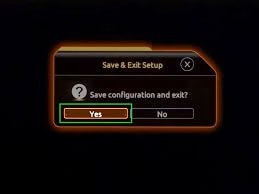
Step 3: Save changes and exit BIOS.

How to Enable Secure Boot in BIOS
Step 1: In BIOS, navigate to the Boot tab.
Step 2: Find Secure Boot — set it to Enabled.
Step 3: If it shows “Setup Mode” instead of “User Mode,” reinstall the factory default keys (usually a one-click option in the same menu).
Step 4: Save and restart.
⚠️ Important: Secure Boot requires your drive to use GPT partition style and UEFI mode. If you’re on legacy BIOS/MBR, you’ll need to convert — backup your data first.
Legacy BIOS Users — Extra Steps Required
If msinfo32 shows BIOS Mode: Legacy, you must:
- Convert your drive from MBR to GPT (use Windows’ built-in MBR2GPT tool)
- Switch your BIOS from Legacy to UEFI mode
- Then follow the Secure Boot steps above
This is more advanced. Don’t skip the backup. 💾
For more Rust technical guides, settings optimisation, and game update coverage, visit TechnoSports’ Rust hub.
Stay ahead of every Rust update, requirement change, and anti-cheat news — bookmark TechnoSports for daily PC gaming coverage. 🎮
FAQs
Q: Why can’t I join Rust servers after the March 2026 update?
A: Server owners can now require TPM 2.0 and Secure Boot from March 2026. If you’re blocked, enable both features in your BIOS settings following the steps in this guide and restart your PC.
Q: Does enabling TPM 2.0 and Secure Boot affect Rust game performance?
A: No — once enabled, these security features run at the hardware level and have zero performance impact on your FPS or gameplay experience in Rust or any other game.




