
Yes, Factorio has robust multiplayer support that turns the solo factory-building experience into a collaborative engineering masterpiece. Whether you’re coordinating assembly lines with one friend or managing a 500-player megafactory, the game’s co-op system makes it surprisingly simple to get started—no dedicated server required for small groups.
Table of Contents
Three Ways to Play Factorio Multiplayer
Factorio offers flexible connection methods depending on your group size and technical comfort. The Steam Friends method is the easiest for casual play, while dedicated servers unlock 24/7 persistent worlds for serious communities.
| Method | Best For | Setup Difficulty |
|---|---|---|
| Steam Friends Join | 2-8 players, casual sessions | Easy – One click through Steam |
| LAN/Public Hosting | 10-50 players, scheduled playtimes | Medium – May need port forwarding |
| Dedicated Server | 50-500 players, 24/7 worlds | Advanced – Server setup required |
Quick Setup Guide for Friends
For 2-4 Players (Steam Method): The host selects Multiplayer → Host New/Saved Game → Set privacy to “Steam” → Add password. Friends then right-click your name in their Steam friends list and click “Join Game.” That’s it—no port forwarding, no IP addresses, no technical headaches.
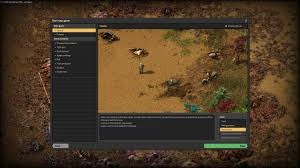
For Larger Groups (Public/LAN Hosting): Choose “Public” visibility during setup, and your game appears in Factorio’s in-game browser. Set a password for privacy. If experiencing connection issues, enable port forwarding for UDP 34197 on your router. Sites like PortForward.com offer router-specific guides.
For Massive Communities: Use the official dedicated server software or free hosting services like Factorio.zone. Dedicated servers run independently, allowing the world to persist even when the admin logs off—crucial for time-zone-distributed teams tackling Space Age content.
Co-Op vs. PvP Gameplay
The default Freeplay Co-Op scenario puts all players on one team working toward the rocket launch victory condition. Everyone shares research, resources, and factory infrastructure. For competitive players, PvP scenarios create separate forces with independent tech trees—your automated defenses will automatically target opposing players unless you negotiate cease-fires through the console.
The game’s lockstep architecture means every client simulates the full world locally, with only player actions transmitted across networks. This keeps bandwidth low but makes the experience sensitive to packet loss. If experiencing lag on WiFi, switch to wired Ethernet—Factorio prioritizes consistent latency over raw speed.
Player Limits & Performance
Technical maximum: 65,535 simultaneous players (though you’d need NASA-grade hardware). Practical recommendation: 500 players max per server. Most casual groups run smoothly with 2-20 engineers. The host’s upload speed and geographic location matter more than CPU power since all clients handle simulation.
Pro tip: Save files sync automatically between players. Both the host and guests can save progress locally, making world backups foolproof. If one player continues solo, they can share the updated save via cloud storage for seamless handoffs.
Mods & Custom Scenarios
All multiplayer modes support mods and custom scenarios. Popular expansions like Space Exploration and Krastorio 2 work flawlessly in co-op. Download scenarios from the official Factorio forums or the Steam Workshop. The game auto-syncs required mods when joining modded servers, streamlining setup.
For more factory optimization tips and PC gaming guides, check out TechnoSports.co.in. We cover everything from belt ratios to megabase blueprints!
FAQs
Do I need to port forward for Factorio multiplayer?
Not if using Steam Friends join (easiest method for 2-8 players). Public hosting may require port forwarding UDP 34197, but Steam’s relay servers handle this automatically for most users.
Can I play Factorio co-op with different save files?
Yes! Either player can host any save file. When someone joins, they download the current world state. Both players can save locally, and either can continue progress solo anytime.




