
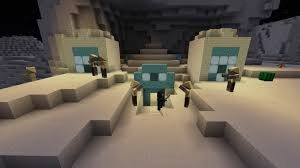
If you’ve ever watched a professional Minecraft farm builder test their contraptions and wondered how they fast-forward hours of in-game time in seconds — that’s the Carpet Mod. Created by gnembon, it’s the single most powerful tool for technical Minecraft players, and with over 3.6 million downloads on CurseForge, it’s become the backbone of the entire technical community.
Table of Contents
Minecraft Carpet Mod — Key Facts at a Glance
| Detail | Info |
|---|---|
| Mod Name | Carpet (fabric-carpet) |
| Developer | gnembon |
| Loader | Fabric |
| Latest Version | v1.4.194 for Minecraft 1.21.11 |
| Downloads | 3.6M+ on CurseForge |
| Supported Versions | 1.14.x → 1.21.x |
| Cost | Free |
| Download | CurseForge / Modrinth / GitHub |
What Does Carpet Mod Actually Do?
Carpet Mod allows you to take full control of what matters from a technical perspective of the game. Here are its three headline features:
⏩ /tick warp — Test Farms in Minutes, Not Hours
This is the game-changer. Carpet’s /tick warp command runs the game as fast as your CPU allows — meaning a farm that would take 6 in-game hours to benchmark can be tested in literal minutes. Technical players use this to validate redstone contraptions, mob farm rates, and crop yields without the real-world time investment.

📊 hopperCounters — Instant Farm Output Tracking
Connect a hopper to a coloured wool block and Carpet tracks exactly how many items pass through it. /counter gives you a live readout. No need for complex external tracking — the mod does it natively with a single command.
📡 /log — Live Server Performance Data
See the server mobcap, TPS, and other stats update live with /log. For server administrators managing performance, this real-time feedback is indispensable for spotting lag sources and optimising chunk loading.
🔧 Scarpet — In-Game Programming Language
Carpet contains Scarpet, a powerful in-game programming language that allows you to easily interact with the game or make powerful apps. Advanced users can write custom apps directly in-game — no external tools needed. The community Scarpet app store has hundreds of ready-to-use scripts.
For step-by-step server setup tutorials and the best Carpet extensions for 2026, visit TechnoSports Entertainment.
How to Install Carpet Mod
- Install Fabric Loader from fabricmc.net
- Download Fabric API and Carpet from CurseForge or Modrinth — match versions exactly
- Place both .jar files in your Minecraft
/modsfolder - Launch Minecraft — run
/carpet listto confirm installation
✅ Server install: Upload the Carpet .jar to your server’s mods folder and restart to activate
Why Every Technical Player Uses Carpet Mod
Minecraft‘s technical community has built an entire ecosystem of farms, redstone contraptions, and server optimisation tools around Carpet Mod. The combination of /tick warp, live logging, and Scarpet makes it irreplaceable for anyone building at a serious level — from solo survival players to large SMP server operators.
Stay updated with the latest Carpet extensions and Minecraft technical mod guides at TechnoSports.
FAQs
Q: What is the Minecraft Carpet Mod and who is it for?
Carpet Mod is a Fabric mod by gnembon that gives technical Minecraft players complete control over game mechanics — including fast-forwarding time, tracking farm output, and monitoring server performance in real time.
Q: How do you install Minecraft Carpet Mod in 2026?
Install Fabric Loader, then download the Carpet .jar matching your Minecraft version from CurseForge or Modrinth and place it in your /mods folder — no other setup required for singleplayer use.




