
If you’ve been wondering how to use Structura in Minecraft Bedrock Edition, you’re in the right place. Structura is a helpful tool for players who want to import building guides and make large or detailed constructions much easier to follow. For survival builders and creative fans alike, it can save a lot of time and confusion.
Table of Contents
What Is Minecraft Structura?
| Feature | Details |
|---|---|
| Tool Name | Structura |
| Game Version | Minecraft Bedrock Edition |
| Main Use | Visual building assistance |
| Best For | Importing structure guides |
| Benefit | Easier block-by-block construction |
For anyone new to Minecraft, the game remains one of the most popular sandbox titles ever made. You can read more about it on Wikipedia.
How to Use Structura in Minecraft Bedrock Edition
Using Structura in Minecraft Bedrock Edition is generally about loading structure-related visual guides so you can recreate builds more accurately. While exact steps may vary depending on the tool version, the usual process looks like this:
Basic Steps
- Download the required Structura files
Make sure you get the correct version compatible with Bedrock Edition. - Import the file into Minecraft Bedrock
This is often done through resource packs, behavior packs, or compatible structure support tools. - Open your world
Once installed correctly, launch the world where you want to build. - Follow the visual layout
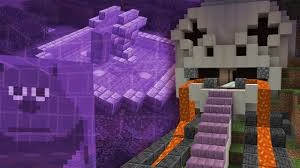
Structura helps you see where blocks should go, making complex builds much easier to complete.
Why Players Use Structura
Structura is popular because it reduces guesswork. Instead of constantly checking reference images or tutorial videos, players can rely on a more direct visual guide inside the game.
Main Benefits
- Easier replication of complex builds
- Better block placement accuracy
- Faster construction process
- Helpful for both solo and community projects
This is especially useful in Bedrock Edition, where players often look for practical building assistance tools that streamline the process.
Tips for Best Results
To make Structura work smoothly:
- Use files designed specifically for Bedrock Edition
- Double-check that your packs are properly activated
- Test it in a creative world first
- Make sure your game version supports the imported content
If you enjoy Minecraft guides, building tutorials, and gaming updates, check out more on TechnoSports Gaming.
Final Thoughts
Learning how to use Structura in Minecraft Bedrock Edition can make your building experience much smoother and more enjoyable. If you love creating detailed builds but hate the hassle of constant manual reference checking, Structura can be a real game-changer.
FAQs
Q1. What does Structura do in Minecraft Bedrock Edition?
It helps players follow visual building guides, making complex structures easier to recreate.
Q2. Is Structura useful for beginners?
Yes, it can be very helpful for beginners who want clearer guidance while building large projects.




