
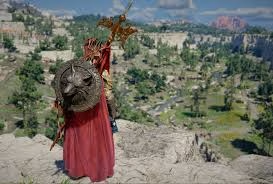
In the world of action RPGs, seeing is surviving. Recently, players have been diving deep into how to replicate the tactical precision of Diablo within Pearl Abyss’s upcoming title. Mastering the Crimson Desert camera setting isn’t just about looking cool; it’s about gaining a competitive edge during those chaotic boss fights.
Unlike traditional over-the-shoulder perspectives, a top-down or high-angle view grants you spatial awareness that third-person angles often miss. When enemies surround you in real-time combat, your field of view determines whether you dodge or get overwhelmed. For many gamers switching from classic dungeon crawlers, finding that sweet spot between immersion and utility is the first step to mastering the game.
Table of Contents
Crimson Desert: Camera Configuration Guide
To help you visualize the impact of different angles, we’ve broken down how adjusting your camera can change your gameplay experience compared to standard defaults.
| Setting Option | Default View | Customized “Diablo” Look | Benefit |
|---|---|---|---|
| Angle Height | Low / Ground Level | High / Elevated | Better enemy tracking |
| Field of View | Narrow | Wider | More peripheral vision |
| Collision Distance | Standard | Increased | Less obstruction by trees |
| Motion Blur | On | Off | Sharper movement clarity |
| Camera Shake | Moderate | Reduced | Focus on mechanics |
Optimizing these settings ensures you aren’t fighting your own hardware during intense encounters. If you want to push your gaming rig to handle these graphical demands without latency, visit technosports.co.in for the latest insights on cooling solutions and PC builds. We believe staying technically equipped keeps you focused on what truly matters—your survival in Teneo.
Finding the Right Balance
While some purists prefer cinematic angles, the community leans towards functional designs for long session play. Adjusting the FOV (Field of View) slider is often the secret weapon here. By widening it slightly, you emulate the expansive feel of hack-and-slash titles without sacrificing detail on character models.
It’s all about comfort. If you find yourself craning your neck or missing attacks because the screen is too close, tweaking these parameters is essential. Developers often leave these tools open-ended to suit individual styles, meaning experimentation is key before you jump into the main campaign.
Whether you are planning a raid with friends or grinding solo, understanding your visual interface is half the battle. Keeping these tips in mind ensures you’re ready when the servers finally launch globally.
Frequently Asked Questions
Q: Does changing camera settings affect gameplay speed?
A: No, it only changes your visual perspective and interaction distance, not character movement speed.
Q: Are there presets available for specific genres?
A: Some updates may introduce genre-specific profiles, though manual adjustment remains best for personal comfort.




