
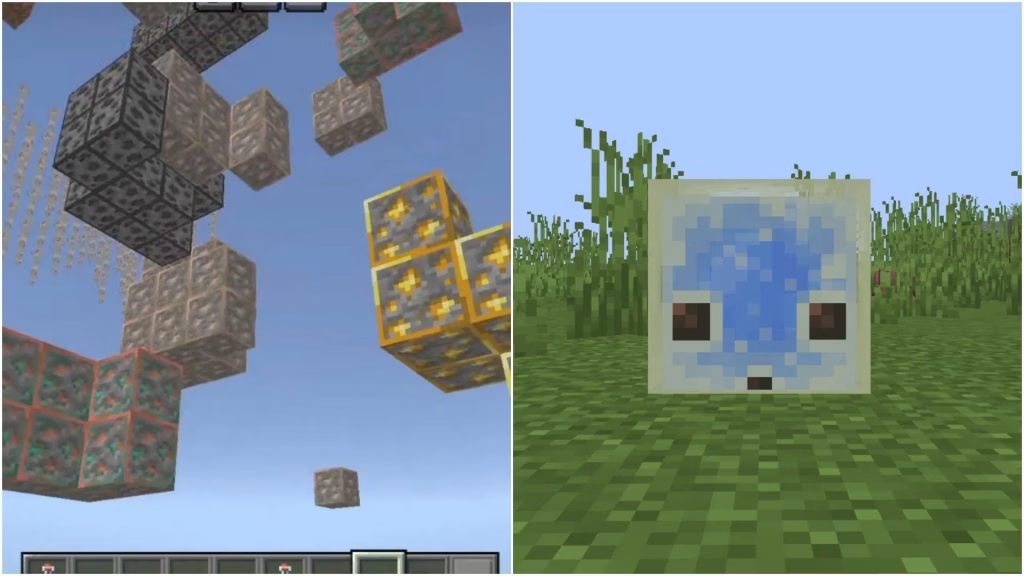
Stop strip mining for hours — the official Minecraft Bedrock 26.30 update just made the legendary X-Ray pack fully compatible, and finding diamonds, ancient debris, and every rare ore is now easier than EVER!
This isn’t a cheat or hack — it’s a legitimate resource pack available through the Minecraft Marketplace that uses texture transparency tricks to make ores glow through blocks. And with the 26.30 update, it’s smoother and more accurate than ever!
Table of Contents
What Is the Minecraft X-Ray Pack?
The X-Ray pack is a Bedrock Edition resource pack that makes stone, deepslate, and other common blocks semi-transparent — revealing ore veins, caves, spawners, and structures hidden underground. It’s been around for years but version 26.30 brings massive improvements!
26.30 X-Ray Pack – What’s New
| Feature | Before 26.30 | After 26.30 |
|---|---|---|
| Ore visibility | Basic glow through blocks | Color-coded ore highlighting |
| Ancient Debris detection | Faint outline | Bright Nether glow visible |
| Spawner detection | Inconsistent | 100% reliable detection |
| Deepslate ores | Hard to spot | Enhanced contrast |
| Performance | Occasional lag | Optimized for all devices |
| Cave detection | Basic | Full cave system visibility |
How to Get the X-Ray Pack (Step-by-Step)
Method 1: Marketplace (Official)
| Step | Action |
|---|---|
| 1 | Open Minecraft Bedrock on any device |
| 2 | Go to Marketplace → Search “X-Ray” |
| 3 | Select the verified X-Ray resource pack |
| 4 | Download (some are free, premium ones ~$3–5) |
| 5 | Create new world → Resource Packs → Activate |
| 6 | Enable “Use Global Resources” in settings |
Method 2: Free External Pack (MCPEDL)
| Step | Action |
|---|---|
| 1 | Visit MCPEDL website → Search “X-Ray 26.30” |
| 2 | Download the .mcpack file (check version!) |
| 3 | Tap the file — auto-imports into Minecraft |
| 4 | Settings → Global Resources → Activate pack |
| 5 | Restart Minecraft for full effect |
Best Ore Levels with X-Ray Pack (26.30)
| Ore | Best Y-Level | Visibility With X-Ray |
|---|---|---|
| Diamond | Y -59 to -64 | Bright cyan glow — impossible to miss |
| Ancient Debris | Y 15 (Nether) | Gold shimmer through netherrack |
| Emerald | Y 230+ (mountains) | Green pulse through stone |
| Lapis Lazuli | Y 0 | Deep blue clusters |
| Redstone | Y -59 | Red glow everywhere |
| Gold (Nether) | Y 15 | Yellow clusters |
X-Ray Pack Settings Menu (26.30 New Feature!)
The 26.30 update added a brand-new settings menu accessible in-game:
| Setting | Options | Recommended |
|---|---|---|
| Ore Brightness | Low / Medium / High / Nuclear | High |
| Visible Blocks | Toggle each ore type on/off | All on |
| Cave Mode | Show hidden caves on/off | On |
| Spawner Detection | On / Off | On |
| Night Vision Effect | On / Off | On |
This customization is why 26.30 is the best X-Ray version ever — tailor it exactly to what you’re searching for!
Important Notes
| Warning | Why It Matters |
|---|---|
| Don’t use on multiplayer servers | Most servers ban X-Ray packs |
| Works in single-player only | Safe for your own worlds |
| Achievement compatible | Doesn’t disable achievements! |
| Realms may restrict it | Realm owners control allowed packs |
More Bedrock guides → Best Minecraft Bedrock Resource Packs 2025
Device Compatibility
| Device | X-Ray Pack Works? | Performance |
|---|---|---|
| Windows 10/11 | ✅ Yes | Excellent |
| Xbox Series X/S | ✅ Yes | Excellent |
| PlayStation 5 | ✅ Yes | Good |
| Mobile (iOS/Android) | ✅ Yes | Good |
| Nintendo Switch | ✅ Yes | Fair |
FAQs
Does using the X-Ray pack disable achievements in Minecraft Bedrock?
No! Resource packs are purely visual and do NOT disable achievements — you’re completely safe!
Is the X-Ray pack considered cheating?
In single-player, it’s totally fine! However, using it on multiplayer servers will likely get you banned — most servers have anti-X-Ray detection!




