
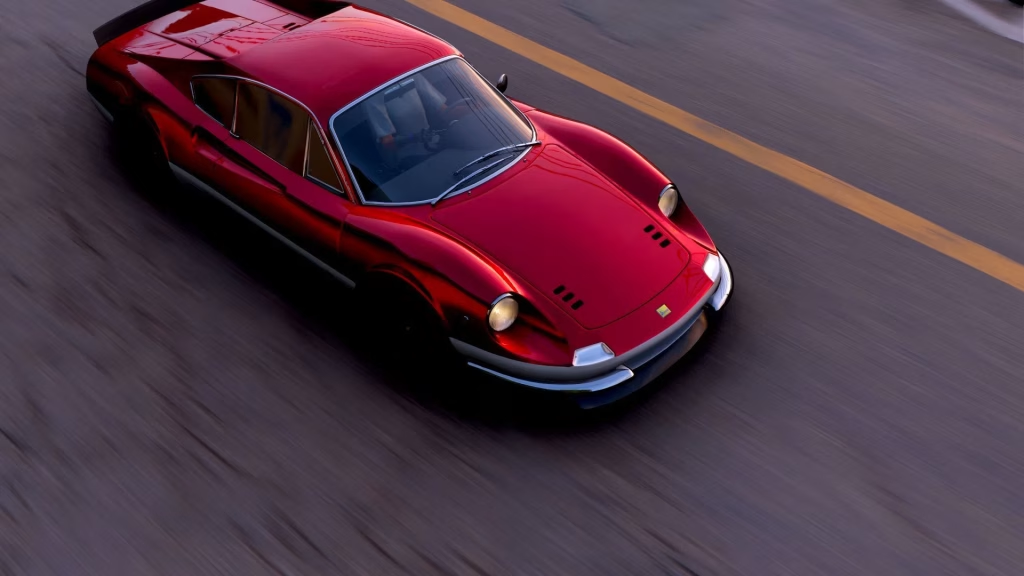
The “Do It All Dino” Weekly Challenge in Forza Horizon 6 is a Festival Playlist objective that focuses on driving and completing tasks with the classic Ferrari Dino. Like other weekly challenges in the Forza Horizon series, players must use the required car and complete a sequence of objectives in order. These tasks usually involve driving the car, earning skills, completing races, or finishing PR stunt-related goals. The challenge is worth completing because it contributes toward seasonal progress and can reward players with Forzathon points or other playlist rewards.
The featured car is tied to the legendary Ferrari Dino, a historic sports car line associated with Ferrari’s V6-powered classics. You can read more about the real-world model through Ferrari Dino on Wikipedia.
Table of Contents
Required Car for “Do It All Dino”
To begin the challenge, players need to own and drive the required Ferrari Dino model listed in the Festival Playlist. If you do not already have the car in your garage, check the Autoshow, Auction House, seasonal rewards, or any active event shop where the vehicle may be available. Once you acquire the car, get into it and make sure the Weekly Challenge starts tracking before completing the remaining objectives.
Best Tune Setup for the Ferrari Dino
Before starting the challenge, it is a good idea to upgrade the Ferrari Dino for better handling and acceleration. A balanced A-Class or S1-Class road tune is usually enough for weekly objectives unless the challenge has a specific class restriction. Focus on improving tires, brakes, suspension, acceleration, and overall grip. If you are struggling with speed-based objectives, adding more power can help, but avoid making the car too difficult to control.
How to Complete the Challenge Fast
Start by opening the Festival Playlist and selecting the “Do It All Dino” Weekly Challenge. After that, drive the Ferrari Dino in free roam until the first chapter registers as complete. Do not switch cars while progressing through the challenge, as this can stop tracking or force you to restart certain objectives.
For race-based tasks, choose a short Road Racing or Street Racing event if the game allows it. Lowering the difficulty can also save time if you only want to complete the playlist objective quickly. If the challenge asks for stars from Speed Traps, Speed Zones, or Danger Signs, use a long run-up, rewind failed attempts, and approach the PR stunt in a straight line whenever possible. For skill-based objectives, drive through open roads, chain near misses, drift lightly through corners, and bank your skill score safely instead of risking a crash.
Common Tracking Issues and Fixes
If the challenge does not progress, restart the game, reselect the Ferrari Dino, and check whether the correct chapter is active. Weekly Challenges usually track objectives in order, so completing a later task before the game asks for it may not count. Also, avoid using another Ferrari model unless the playlist specifically allows it. The safest option is always to use the exact car named in the challenge.
Final Tips
The “Do It All Dino” challenge is not very difficult once you have the correct car and a stable tune. Complete each chapter in order, use short events for race objectives, and tune the Ferrari Dino for control rather than raw speed. For more racing game guides and updates, readers can also visit TechnoSports.
FAQs
Q1: Which car is needed for the “Do It All Dino” challenge?
You need the specific Ferrari Dino model mentioned in the Forza Horizon 6 Festival Playlist. Make sure you are driving the exact required car before starting the objectives.
Q2: Why is my Weekly Challenge not tracking?
The challenge may not track if you are using the wrong car, completing objectives out of order, or switching vehicles during the challenge. Restarting the game and re-entering the required Ferrari Dino often fixes the issue.




