
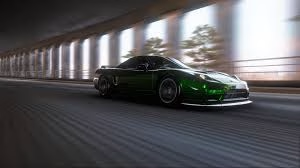
Hey drivers! Is there anything better than finding that perfect sunset spot in Forza Horizon 6, lining up your customized supercar, and snapping a masterpiece? FH6 is arguably the most beautiful game of 2026, but let’s be real—getting those high-res shots from your console or PC onto your phone or social media can feel like a multi-step puzzle.
Don’t worry, I’ve got you covered. Whether you want a new wallpaper or just want to flex your latest livery, here is the fastest way to save your FH6 captures to your device.
Table of Contents
Forza Horizon 6: Best Ways to Export Photos
| Method | Best For | Quality | Speed |
|---|---|---|---|
| Xbox App | Mobile Sharing | High | Very Fast |
| Forza Website | PC Storage | Original | Medium |
| Direct Screenshot | Pro Photographers | Lossless | Fast |
| OneDrive | Cloud Backup | High | Automatic |
Step-by-Step Guide to Saving Your Masterpieces

Step 1: Take the Photo In-Game
Enter Photo Mode (usually by pressing Up on the D-pad). Adjust your focus, exposure, and aperture. Once it’s perfect, press the “Take Photo” button. The game will process the image and ask if you want to save it to your “Creative Hub.”
Step 2: Upload to the Forza Gallery
After saving, make sure to “Share” the photo. This uploads the image to the official Forza servers. If you skip the sharing step, the photo remains stuck inside your game save and won’t be visible online.
Step 3: The “Pro” Screenshot Method (Highest Quality)
If you want the absolute highest resolution without server compression, here is a secret: While in Photo Mode, press the button to “Hide UI.” Once the screen is clear, use your console’s “Share” button or PC’s “Print Screen” to take a direct system screenshot. This bypasses the Forza gallery entirely!
Step 4: Download to Your Device
- For Mobile: Open the Xbox App, go to “Captures,” and hit download.
- For PC: Log in to the official Forza Motorsport Gallery with your Microsoft account, find your shared photos, and right-click to “Save Image As.”
Want to see which cars look best in front of the lens? Check out our Forza Horizon 6 car list and unlock guide or stay updated with the latest Forza Horizon 6 news and updates.
For a deeper look into the history of this legendary racing franchise and its impact on the gaming world, visit the official Forza Wikipedia page.
FAQs
Where can I find my Forza Horizon 6 photos online?
You can access all your shared in-game captures by logging into the “Gallery” section of the official Forza Motorsport website using your Xbox Live credentials.
How do I get Forza photos onto my phone?
The easiest way is to take a direct console screenshot, wait for it to upload to the Xbox Network, and then save it to your phone via the Xbox mobile app.




