
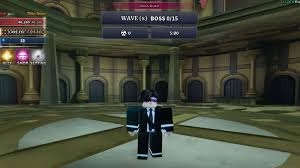
New to Sailor Piece or switching platforms? Don’t let confusing controls slow down your pirate journey. Sailor Piece is a cross-platform game with full console support , and knowing every keybind from day one gives you a serious combat edge. Here’s the complete controls breakdown — all platforms, zero fluff.
Table of Contents
Sailor Piece Controls — All Platforms at a Glance
| Action | PC | Xbox | PS4/PS5 | Mobile |
|---|---|---|---|---|
| Move | WASD | Left Stick | Left Stick | On-screen Joystick |
| Jump | Space | A | X | Arrow Button (right) |
| Dash | Q | LT | L2 | Dash Button |
| Block | F | RB | R1 | Block Button |
| Basic Attack | Click | RT | R2 | Attack Button |
| Conqueror Haki | J | — | — | Haki Button |
| Interact/Talk | E | — | — | Interact Button |
| Sprint | Shift | — | — | Double-tap Joystick |
What Is Sailor Piece?
Sailor Piece is an anime-inspired RPG that puts you in the role of a sailor. Your initial gameplay is centered on traversing multiple islands, fighting enemies to level up, and increasing your stats. Almost every island has a Quest NPC, which gives you missions for earning Money, EXP, and items.
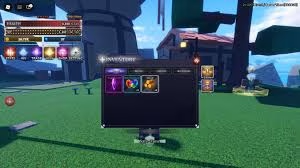
It blends open-world exploration, bandit-beater combat, and deep character progression — letting you unlock Devil Fruits, Swords, Haki, and racial abilities as you grow stronger across multiple seas.
Key Controls Tips for Each Platform
PC Players: Press J to activate Conqueror Haki and Q to Dash — these two keybinds are your bread and butter in every combat encounter. Game8 Memorize them before your first boss fight.
Console Players (Xbox & PS): The Dash controls are LT on Xbox and L2 on PS4/PS5 Game8 — essential for dodging boss AoE attacks and repositioning during intense fights.
Mobile Players: Controls for Android and iOS are straightforward — each action has a separate on-screen button. Movement is handled by dragging the invisible joystick on the left side of the screen, while Jump is the arrow on the right side. Game8
Why Controls Matter in Sailor Piece
Interacting with NPCs is a vital part of the gameplay. Apart from quest-giving characters, you’ll find ones that let you unlock weapons and combat styles, and access mechanics like Traits, Clans, and Races. Game8 Fumbling with controls means missing key NPC interactions — and that slows your entire progression.
With the max level sitting at 13,000 and an Infinite Tower endgame mode now in the game , mastering fluid controls early is how you keep up with veteran players.
Roblox’s cross-platform flexibility is part of what makes games like Sailor Piece so accessible. Learn more about the Roblox platform on Wikipedia to understand how it powers millions of user-created experiences worldwide.
For more Sailor Piece guides, tier lists, and Roblox game tips, head over to TechnoSports — your go-to hub for all things gaming.
FAQs
Q: Can I change the default keybinds in Sailor Piece?
A: Currently, Sailor Piece does not offer a custom keybind remapping option Game8 — players must adapt to the default control scheme across all platforms for now.
Q: Is Sailor Piece available on all platforms including console?
A: Yes — Sailor Piece fully supports PC, Mobile, and Console play GameRant, making it one of the most accessible One Piece-inspired Roblox games available in 2026.




