
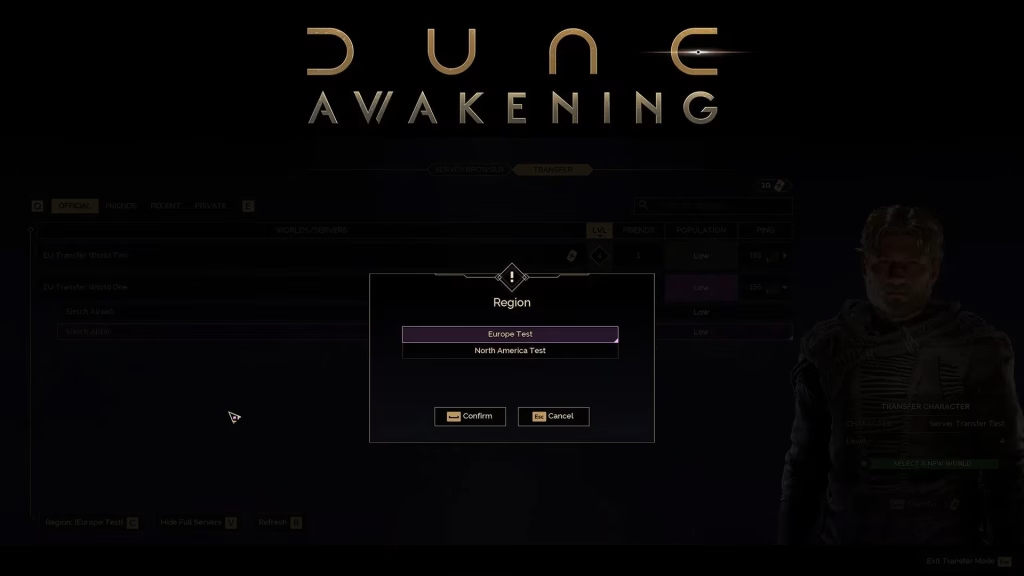
Great news, sleepers! Dune Awakening now supports character server transfers after months of player requests. Here’s everything you need to know about moving your character to a new world on Arrakis.
Table of Contents
Dune Awakening Transfer Requirements & Limitations
| Requirement | Details |
|---|---|
| Transfer Token | 1 token required (replenishes every 7 days) |
| Location | Character must be in Hagga Basin |
| Spawn Point | Griffin’s Reach (destination server) |
| Transfer Time | 2-5 minutes (loading screen) |
| What Transfers | Character, inventory, backed-up bases, vehicles, bank contents (Solari) |
| Restrictions | Cannot transfer from private to official servers |
Step-by-Step Transfer Process
According to Funcom’s official help center, here’s how to move your character:
Before Starting:
- Back up your base using the Base Reconstruction Tool
- Move all valuables to your inventory and bank
- Ensure your character is in Hagga Basin region
- Verify you have an available Transfer Token
Transfer Steps:
- Open the Servers Tab from the main menu
- Select your character and press “Z”
- Choose your destination server (check ping and population first)
- Read the confirmation screen carefully
- Complete the manual text entry to confirm
- Wait 2-5 minutes for the transfer to complete
Critical Things You’ll Lose
Items not backed up or stored in your inventory/bank will be permanently lost. This includes:
- Un-backed-up base structures
- Items left in base storage containers
- Unclaimed land plots
- Regional progress markers
For essential survival tips before transferring, check our Dune Awakening beginner’s guide and base building optimization strategies.
Private vs. Official Server Transfers
You can transfer from official servers to private servers, but not vice versa. This prevents players with relaxed private server settings from gaining unfair advantages on official servers. Private-to-private transfers work seamlessly.
Why Transfer?
Players commonly switch servers for better ping, more active populations, escaping dominant factions in Landsraad politics, or reuniting with friends who’ve moved to different worlds. With the new system, you’re no longer permanently locked to your original server choice.
Pro Tips
- Use your weekly token strategically—you only get one every seven days
- Check server population and ping before committing to avoid regrets
- If someone has your character name on the destination server, you’ll need to rename
- Triple-check your inventory and bank before confirming the transfer
FAQs
Q: Can I transfer my character between Sietches on the same server?
Yes! You can freely move between Sietches on the same server without using a Transfer Token and retain all progress.
Q: What happens if my transfer fails or gets interrupted?
The transfer won’t start if requirements aren’t met, and exiting during the process cancels it—your character stays on the original server.




