
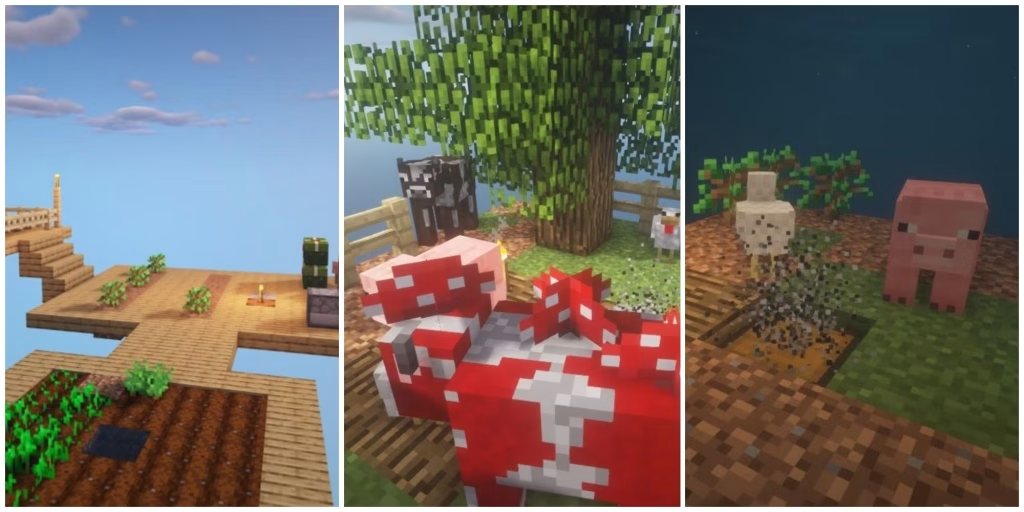
OneBlock flips Minecraft’s infinite world concept upside down—you start with literally one block. This addictive custom game mode challenges survival skills by spawning you on a single regenerating block floating in the void. Each break reveals new materials, mobs, and possibilities as you build an empire from nothing.
Table of Contents
Minecraft: Three Ways to Play OneBlock
Choose your preferred method based on whether you want solo adventures or multiplayer experiences:
| Method | Platform | Cost | Best For |
|---|---|---|---|
| CurseForge Download | Java Edition | Free | Solo/Local Multiplayer |
| Minecraft Marketplace | Bedrock Edition | 310 Minecoins | Console Players |
| Dedicated Servers | Both Editions | Free | Online Community Play |
Method 1: Java Edition Download (CurseForge)
The most popular approach for PC players involves downloading the OneBlock world file directly from CurseForge, which hosts the original map by IJAMinecraft with over 8 million downloads.
Step-by-Step Installation:
Visit the OneBlock CurseForge page and download the latest version compatible with Minecraft 1.21.11. The downloaded file arrives as a ZIP folder. Extract this folder to reveal the world files inside—look for folders named “data,” “DIM1,” and “region” to confirm proper extraction.
Open your Minecraft Launcher, click the “Installations” tab, then hover over your current version and click the folder icon. This opens your .minecraft directory. Navigate to the “saves” folder and drag the extracted OneBlock folder directly into it. Launch Minecraft, select “Single Player,” and the OneBlock world appears in your saved worlds list. Click to start your survival challenge.
Method 2: Bedrock Edition Purchase (Marketplace)
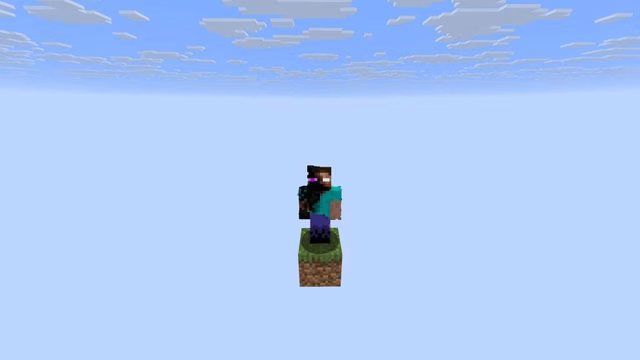
Bedrock players on consoles, mobile devices, or Windows 10/11 can access premium OneBlock versions through the official Minecraft Marketplace. The Nitric Concepts version costs 310 Minecoins ($2.14 approximately) and features 4.5/5 stars from over 153,000 ratings.
Navigate to the Marketplace from your main menu, search “OneBlock,” select the map you prefer, complete the purchase, and it automatically installs. Launch directly from your worlds list—no file management required. This version includes additional features and regular updates for the latest Minecraft versions.
Method 3: Join Multiplayer Servers
For instant access without downloads, connect to dedicated OneBlock servers hosting the game mode with established communities. Popular servers include OneBlock MC (bedrock.oneblockmc.com for Bedrock), offering quests, economies, and player trading systems.
From the Minecraft main menu, select “Play,” navigate to “Servers,” click “Add Server,” enter the server address, and connect. You’ll spawn directly on your personal OneBlock island surrounded by other players building their empires.
Understanding OneBlock Gameplay Mechanics
The magic block beneath you regenerates infinitely as you mine it. Early breaks yield grass, dirt, and wood for basic tools and platform expansion. As you accumulate breaks, the game advances through 10 distinct phases—Plains, Underground, Desert, Dungeon, Ocean, Jungle, Winter, Nether, Idyll, Desolation, and finally the End.
Each phase introduces thematically appropriate blocks and mobs. The Underground phase spawns coal, iron, and hostile mobs like zombies. The Nether phase generates soul sand, netherrack, and Blazes. The final End phase challenges you to defeat the Ender Dragon using resources gathered across all previous phases.
For comprehensive Minecraft tutorials and advanced building strategies, explore our survival mode guides and custom map reviews at TechnoSports.
Check the official Minecraft website for version compatibility updates and patch notes affecting OneBlock gameplay.
Pro Tips for OneBlock Success
Build a cobblestone generator immediately using the first lava and water sources you receive—this creates infinite building materials. Prioritize crafting a chest to store valuable items before they despawn. Expand your platform cautiously to prevent accidental falls into the void.
Many OneBlock servers feature economies where you earn money per block mined, unlocking special islands, gadgets, minions, and weapons from traders. Focus on consistent mining rather than rushing through phases to maximize these server-specific rewards.
Frequently Asked Questions
What Minecraft version does OneBlock support?
OneBlock supports Minecraft versions from 1.13.2 to the latest 1.21.11, with creators regularly updating the map for compatibility with new releases including the Mounts of Mayhem update.
Can I play OneBlock with friends?
Absolutely! Use LAN multiplayer for local play, host a dedicated server using the downloaded world file, or join established multiplayer servers where everyone gets their own OneBlock island.




