
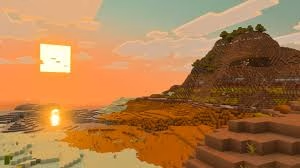
For over 15 years, OpenGL has been the silent engine driving every block you’ve ever placed in Minecraft: Java Edition. But as of early 2026, Mojang has officially begun the transition to Vulkan, a move that promises to revolutionize performance and visuals.
If you’re wondering whether to stick with the classic or embrace the future, here is everything you need to know about the Vibrant Visuals update and the “Vulkan vs. OpenGL” debate.
Table of Contents
At a Glance: OpenGL vs. Vulkan Comparison
| Feature | OpenGL (Classic) | Vulkan (Modern) |
| Performance | Stable, but CPU-bound | Higher peak FPS; multi-threaded |
| Stability | Very high (years of polish) | High, but prone to minor stutters |
| Compatibility | Almost any PC/Mac (15+ yrs) | Modern GPUs (post-2016) |
| Mod Support | Industry standard | Developing (requires updates) |
| Future Support | Being Deprecated | Official Path Forward |
Why Mojang is Making the Switch
The primary catalyst for this change is macOS support. Apple officially deprecated OpenGL years ago, making it nearly impossible for Mojang to modernize Minecraft while staying on an ancient rendering API.
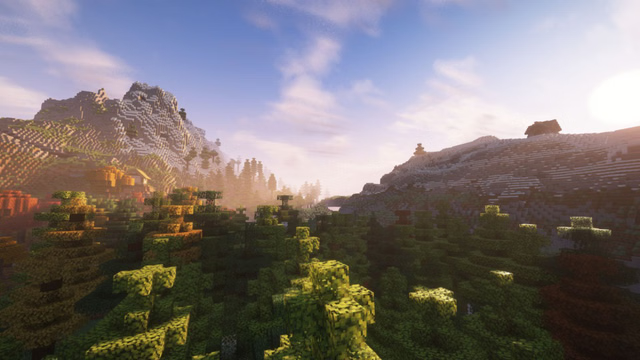
By switching to Vulkan, Minecraft can finally utilize multi-threaded rendering. This means the game can offload heavy graphical tasks to a separate CPU thread, freeing up your main processor to handle complex world generation, Redstone logic, and entity AI.
Which One Should You Use?
For most players, the choice depends on your hardware and your love for mods:
- Use Vulkan if: You have a modern GPU (NVIDIA GTX 10-series/AMD RX 400 or newer) and want the highest possible framerates. In recent benchmarks, some players have seen a 20-40% reduction in CPU overhead, leading to much smoother gameplay in dense biomes.
- Use OpenGL if: You are running an older machine or rely on specific graphical mods that haven’t yet moved to the Vulkan API. If you notice “micro-stutters” on Vulkan, switching back to OpenGL can provide a more consistent (albeit lower) framerate.
To stay updated on the latest Vulkan mod compatibility or to see our 2026 PC building guides for peak Minecraft performance, keep it locked on Technosports. For official technical documentation, visit the official Minecraft Dev Blog.
FAQs
Will switching to Vulkan break my current Minecraft shaders?
Initially, yes. Most popular shaders (like BSL or Complementary) rely on Optifine or Iris, which were built for OpenGL. However, the modding community is rapidly developing “Vulkan-native” versions. During the transition, Mojang is allowing players to toggle between APIs in the settings menu.
Can my old laptop run the Vulkan update?
If your GPU is older than 10 years, it likely does not support Vulkan. In these cases, you will need to continue using the OpenGL backend. Mojang has stated they will keep OpenGL available until the Vulkan implementation is fully stable across all devices. For more low-end PC optimization tips, check our latest hardware guides.




