
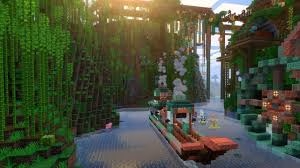
Tired of bland, empty Minecraft builds? The Cluttered mod injects life into your creations with over 100 functional furniture pieces inspired by beloved games like Animal Crossing and The Sims. This comprehensive guide walks you through installation and highlights why this mod is essential for builders.
Table of Contents
Why Minecraft Choose the Cluttered Mod?
Unlike decorative-only mods, Cluttered delivers fully functional items that enhance gameplay. Store food in working refrigerators, organize resources on shelves, and customize furniture with unique wood types including willow, poplar, and crabapple. Every block serves a purpose while maintaining Minecraft’s vanilla aesthetic—perfect for shader compatibility.
The mod also celebrates inclusivity with LGBTQIA+ themed items, making it welcoming for all players.
Quick Installation: Step-by-Step
| Step | Action | Details |
|---|---|---|
| 1 | Download CurseForge | Visit CurseForge’s official site and install the launcher |
| 2 | Search Cluttered Mod | Find “Cluttered by beelake” or use this direct link |
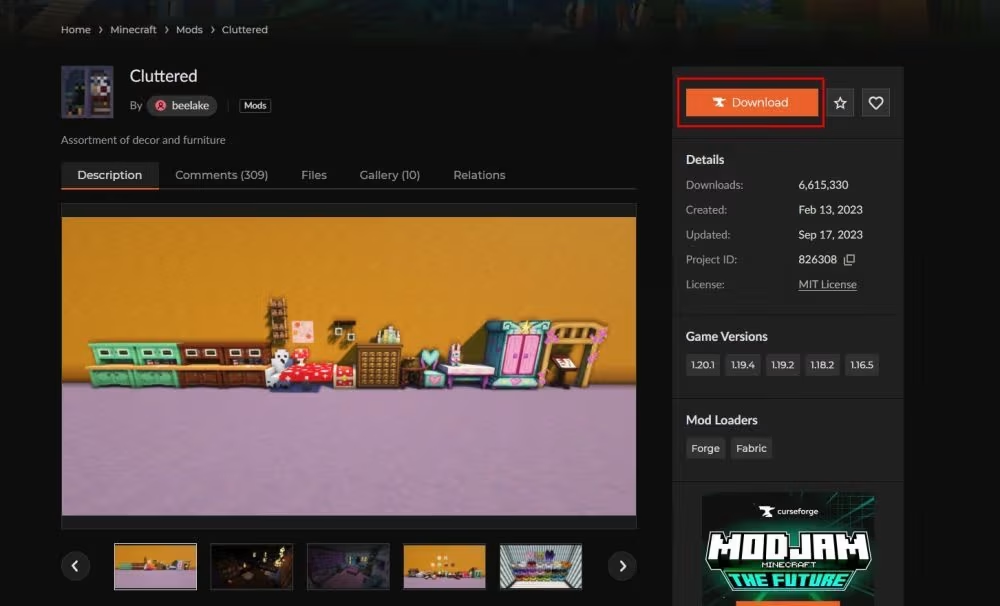
| 3 | Choose Installation | Click orange “Install” button for auto-setup or “Download” for manual installation |
| 4 | Create Instance | Set up fresh instance (recommended) or add to existing one—requires NeoForge 1.21.1+ |
| 5 | Launch & Play | Hit “Play” after installation completes—typically takes 2-3 minutes |
Pro Tip: Create a new instance to avoid mod conflicts. Manual installation requires placing the ZIP file in your instance’s mods folder.
What Makes Cluttered Special?
Functional Design: Unlike purely cosmetic packs, every item works. Refrigerators actually store items, shelves organize resources, and beds come in themed sets you can mix and match.
Customization Tools: The included hand drill lets you modify blocks and create hybrid furniture sets. Combine different wood types for truly unique designs that reflect your style.
Shader-Friendly: Fully compatible with Iris Shaders and OptiFine, ensuring your decorated builds look stunning with lighting enhancements.
For builders seeking more customization, explore our best Minecraft mods for 2026 and decoration ideas guide.
Building Tips with Cluttered
Start with themed rooms—kitchen with refrigerators and counters, bedroom with custom beds, library with shelves. The mod’s vanilla-style textures blend seamlessly with default blocks, making integration effortless even for new players.
Mix wood types creatively: pair crabapple cabinets with willow countertops for contrast. Remember to backup worlds before adding major mods, especially if combining with resource packs.
Ready to revolutionize your builds? Download Cluttered today and discover why thousands of builders consider it essential.
FAQs
Does the Cluttered mod work with other furniture mods?
Yes, Cluttered is designed for compatibility, though testing with your specific mod combination is recommended to avoid texture conflicts.
Can I use Cluttered on multiplayer servers?
Absolutely! Server operators must install it server-side, and all players need matching mod versions for seamless multiplayer building.




