
You log in, run to your friend’s location, and see… nobody. Don’t worry, you’re not bugged. WoW Forever uses layers, and the fix is usually just a couple of clicks. Here’s everything you need.
WoW Forever Layer and Phase Cheat Sheet: Key Facts, Timers and Rules in One Easy Table
| Topic | What to know |
|---|---|
| Layers vs phases | Same thing |
| Refresh warning | 5 minutes |
| Quick fix | Join party, press Refresh Now |
| Pick a layer? | No menu or command |
| Ruleset rule | Must match to group |
What Are Layers and Phases in WoW Forever and Why Do They Separate You From Friends?
Layers and phases are the same thing. Think of a layer as pages in a notebook. Each page is a separate copy of the world, so when a copy gets crowded, players get spread across several. Zones are layered independently, so walking into the next zone can put you on a different layer.
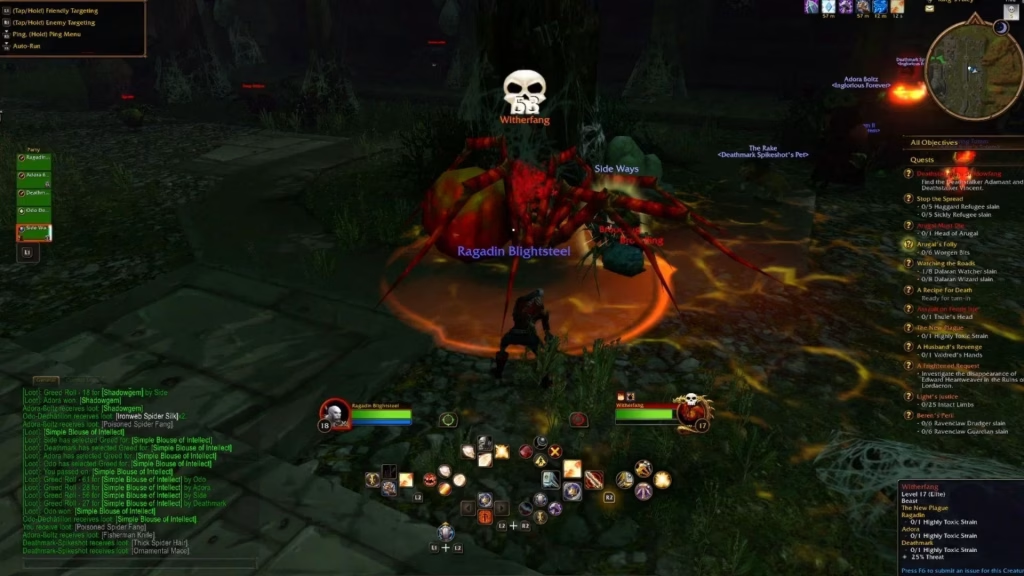
How to Join a Friend in a Different Phase: Step-by-Step Instructions Using Party Invites and Refresh Now
The fix is simple: have your friend invite you, wait for the refresh notice, walk somewhere safe, and press Refresh Now. If you’re on a different layer, a 5-minute warning triggers, after which you’ll move to your party leader’s layer. You can also click the “world will refresh” message on the left side of your screen to move early.
What the 5-Minute Phase Refresh Warning Means and Whether You Can Ignore It
Don’t try to ignore it. When a layer has too many players, the 5-minute warning will change your layer regardless of your choice. Use the time wisely: finish your fight, loot quest items and stand somewhere calm. Some players have reported landing next to hostile mobs after a switch, so avoid refreshing in a dangerous spot.
What to Try When Refresh Now Doesn’t Work: Relogging, Manual Invites and Ruleset Checks
Still separated? Try these fixes:
First, type /invite and the player’s name manually if the friends window shows an error. Second, have the non-leader relog, a workaround that has reportedly worked for some players. Third, check that you’re on the same ruleset, because rulesets never mix and no layer change will put you next to a friend on a different one. blizzardhowtovideogame
Can You Choose Your Own Layer in WoW Forever? What Blizzard Has and Hasn’t Announced So Far
There’s no layer menu. You can only change layers by grouping with someone and accepting the refresh notice, accepting a scheduled refresh, or crossing a zone border. Blizzard hasn’t announced a manual picker. For game background, see Wikipedia’s World of Warcraft page. theforeverguides
More WoW Forever Guides and Leveling Tips From Techno Sports
Want more help while you level? Browse Techno Sports and our WoW Forever guides and gaming news for builds, tips and updates.
Frequently Asked Questions About WoW Forever Phases and Layers
1. How do I get in the same phase as my friend?
Join their party, wait for the refresh notice, and press Refresh Now somewhere safe.
2. Can I choose which layer I join?
No. There’s no layer menu, so grouping and refresh prompts are the only controls.
What Are Layers and Phases in WoW Forever and Why Do They Separate You From Friends?
Layers and phases are the same thing. Think of a layer as pages in a notebook. Each page is a separate copy of the world, so when a copy gets crowded, players get spread across several. Zones are layered independently, so walking into the next zone can put you on a different layer.
How to Join a Friend in a Different Phase: Step-by-Step Instructions Using Party Invites and Refresh Now?
The fix is simple: have your friend invite you, wait for the refresh notice, walk somewhere safe, and press Refresh Now. If you’re on a different layer, a 5-minute warning triggers, after which you’ll move to your party leader’s layer.