
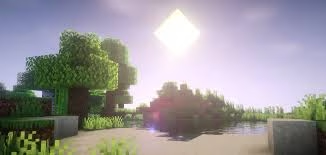
If you’ve ever felt that Minecraft looks a bit too simple, shaders are your ticket to a stunning visual upgrade. From realistic lighting to water reflections and shadows, shaders can completely transform your gameplay experience
Table of Contents
🎮 What Are Shaders in Minecraft?
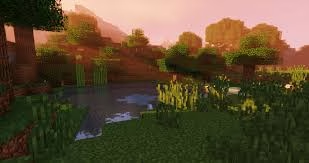
Shaders are visual enhancement mods that improve lighting, shadows, reflections, and overall realism in Minecraft. They don’t change gameplay—but they make your world look breathtaking.
For more about the game itself, check the official Wikipedia page:
👉 https://en.wikipedia.org/wiki/Minecraf
Minecraft Setup Guide (Step-by-Step)
🧩 Method 1: Using OptiFine (Easy Way)
| Step | Action |
|---|---|
| 1 | Download OptiFine matching your Minecraft version |
| 2 | Run the installer and install it |
| 3 | Launch Minecraft with OptiFine profile |
| 4 | Go to Options → Video Settings → Shaders |
| 5 | Add shader packs to the shaderpacks folder |
👉 OptiFine creates a separate game profile and lets you enable shaders instantly
Method 2: Using Iris + Sodium (Better Performance)
| Step | Action |
|---|---|
| 1 | Install Fabric Loader |
| 2 | Add Sodium (for FPS boost) |
| 3 | Install Iris Shaders mod |
| 4 | Place shader pack in shaderpacks folder |
| 5 | Launch and enable shaders in settings |
👉 This combo offers better FPS and smoother performance, especially on mid-range PCs.
How to Activate Shaders In-Game
Once installed:
- Open Options → Video Settings → Shaders
- Select your shader pack
- Click Done
- Customize lighting, shadows, water, and more
That’s it—your Minecraft world will instantly look more realistic.
Best Shader Packs to Try
- BSL Shaders
- SEUS (Sonic Ether’s Unbelievable Shaders)
- Complementary Shaders
- Sildur’s Vibrant Shaders
Each offers a different style—from cinematic realism to colorful fantasy vibes.
👉 Explore more Minecraft guides on TechnoSports:
https://technosports.co.in/?s=Minecraft
Final Thoughts
Shaders are one of the easiest ways to upgrade Minecraft visually without changing gameplay. Whether you choose OptiFine for simplicity or Iris for performance, the result is the same—a stunning, immersive world.
Just remember: higher-end shaders need a good GPU, so tweak settings based on your system.
FAQs – Shader Tips Most Players Miss
Q1: Do shaders slow down Minecraft?
Yes, high-end shaders can reduce FPS. Use lighter packs or Iris + Sodium for better performance.
Q2: Can you use shaders without mods?
No, you need tools like OptiFine or Iris to enable shader support in Minecraft.




