
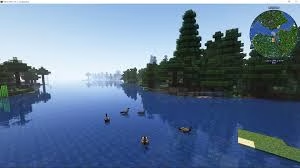
Tired of Minecraft’s dated visuals holding back your RTX graphics card? The Radiance mod transforms Java Edition into a next-generation visual powerhouse by completely replacing OpenGL with a cutting-edge Vulkan C++ renderer. Featuring native hardware ray tracing, DLSS support, and jaw-dropping lighting effects, this technical marvel unlocks performance previously impossible in vanilla Minecraft—no Bedrock Edition required.
Table of Contents
What Makes Minecraft Radiance Revolutionary
Unlike shader packs that work within OpenGL’s limitations, Radiance completely rebuilds Minecraft’s rendering engine from scratch. The mod leverages Vulkan technology to deliver true path-traced lighting, realistic reflections, and hardware-accelerated ray tracing on Windows and Linux systems.
According to the official Radiance CurseForge page, this approach enables seamless integration of modern rendering technologies like NVIDIA DLSS and AMD FSR—features previously exclusive to Bedrock’s RTX implementation.
Key Features Breakdown
| Feature | Benefit | Requirements |
|---|---|---|
| Hardware Ray Tracing | Realistic lighting & reflections | RTX 20-series or newer GPU |
| DLSS Integration | Higher FPS at 4K resolution | NVIDIA RTX graphics card |
| Vulkan Backend | Superior performance vs OpenGL | Vulkan-compatible GPU |
| FSR Support (Planned) | Performance boost for AMD users | AMD RX 5000-series or newer |
| Linux Compatibility | Native Linux ray tracing | Vulkan drivers installed |
Installation Guide (Version 1.21.4)
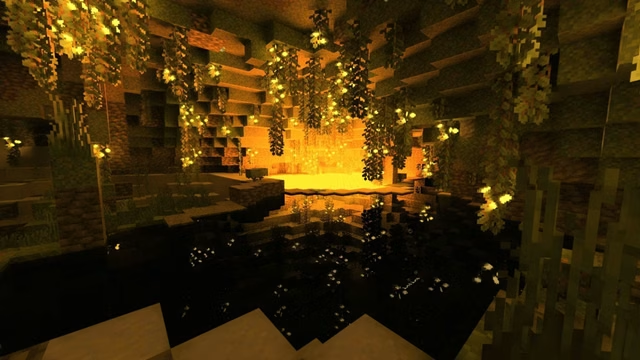
Step 1: Prepare Your Minecraft Launcher – Ensure you’re running Minecraft Java Edition 1.21.4 or compatible version. The mod supports Forge and other major mod loaders.
Step 2: Download Radiance – Visit CurseForge’s Radiance page and download the latest mod file. Place the JAR file into your .minecraft/mods folder.
Step 3: Install DLSS Libraries (NVIDIA Only) – Create a .minecraft/radiance folder if it doesn’t exist. Download the required DLSS runtime libraries from NVIDIA’s developer portal and extract them into this folder. Note: Current alpha versions crash without DLSS files; future releases will support alternative fallback options.
Step 4: Address MSVC Conflicts – If you experience crashes, navigate to your JDK’s bin folder and temporarily rename or remove msvcp140.dll, vcruntime140.dll, and vcruntime140_1.dll files. This resolves known compatibility issues.
Step 5: Launch and Configure – Start Minecraft through your mod loader. Initial shader compilation may take several minutes—this is normal. Access video settings to configure ray tracing quality and DLSS performance modes.
For comprehensive Minecraft modding tutorials and performance optimization guides, explore our gaming coverage.
Performance Expectations
Players with RTX 3060 cards report 60+ FPS at 1080p with high ray tracing settings when using DLSS Balanced mode. RTX 4070 users achieve similar performance at 1440p. AMD users should wait for FSR 3 integration planned for post-alpha releases.
The official Radiance GitHub repository provides detailed performance benchmarks and optimization recommendations for various hardware configurations.
Important Limitations and Warnings
This mod remains in alpha—expect bugs, crashes, and visual glitches. Always back up your worlds before installation. The mod currently lacks compatibility with most other rendering modifications and may conflict with certain optimization mods like Sodium.
According to Minecraft’s official stance, mods are used at your own risk and aren’t officially supported by Mojang Studios.
For more shader pack comparisons and visual enhancement guides, check our modding section.
FAQs
Can I use Radiance mod with AMD graphics cards for ray tracing?
Currently, Radiance primarily optimizes for NVIDIA RTX cards with DLSS support, but AMD users can still benefit from Vulkan performance improvements—full FSR 3 integration is planned for future updates.
Will Radiance mod work alongside other Minecraft performance mods like Sodium?
No, Radiance completely replaces the vanilla renderer, making it incompatible with most rendering optimization mods including Sodium, Optifine, and traditional shader packs—use Radiance standalone for best results.




